
RasterReady
Clean PNGs for websites and sales listings.
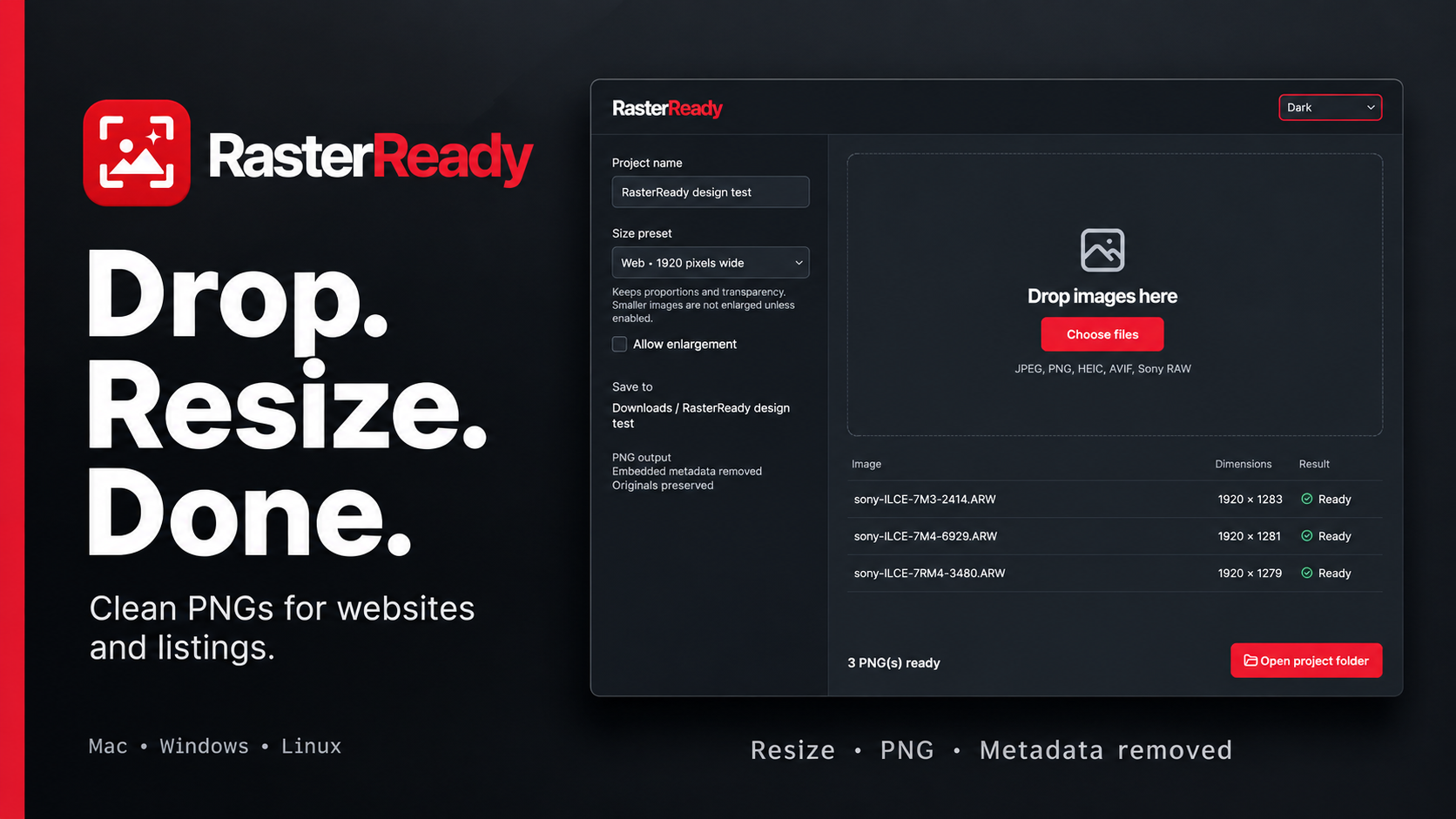
Name a project, choose an image size, and drop in a batch. RasterReady processes images locally and saves clean PNGs directly in Downloads / your project name. Original images stay untouched, and existing output filenames receive a numeric suffix.
What It Does
- Common website sizes and marketplace guidance
- Custom fit, crop and padding
- Batch PNG export with embedded metadata removed
- Orientation correction and sRGB conversion
- Transparency preserved unless a preset calls for white output
- Sony RAW development alongside common raster formats
- Light, Dark and system appearance
- Manual update checks and optional quiet weekly checks
How It Works
Enter a project name and choose a preset. Web presets preserve proportions and do not enlarge smaller images unless you enable enlargement.
Drop images onto the canvas or choose files. Review per-image results and open the project folder to retrieve the finished PNGs.
Marketplace presets prepare dimensions; they do not remove backgrounds, verify listing content or guarantee acceptance. Sony RAW support depends on camera and mode. Animated images use the first frame; SVG and 32-bit images requiring tone mapping are unsupported.
Downloads
Choose the package for your computer. Downloads are free and never gated behind payment.
macOS
Apple Silicon · macOS 26+ · signed and notarized
File: RasterReady-macos-arm64.dmg
Windows
Windows 11 · x64 · unsigned installer
File: RasterReady-windows-x64.exe
Linux — Debian/Ubuntu
x86-64 · Ubuntu 24.04/glibc 2.39+
File: RasterReady-linux-x64.deb
Linux — AppImage
x86-64 · compatible graphics libraries and FUSE
File: RasterReady-linux-x64.AppImage

Support Future Tools
RasterReady is free and open source. If it helps your workflow, you can support future Extrusion Therapy tools. Downloads and source remain available without payment.