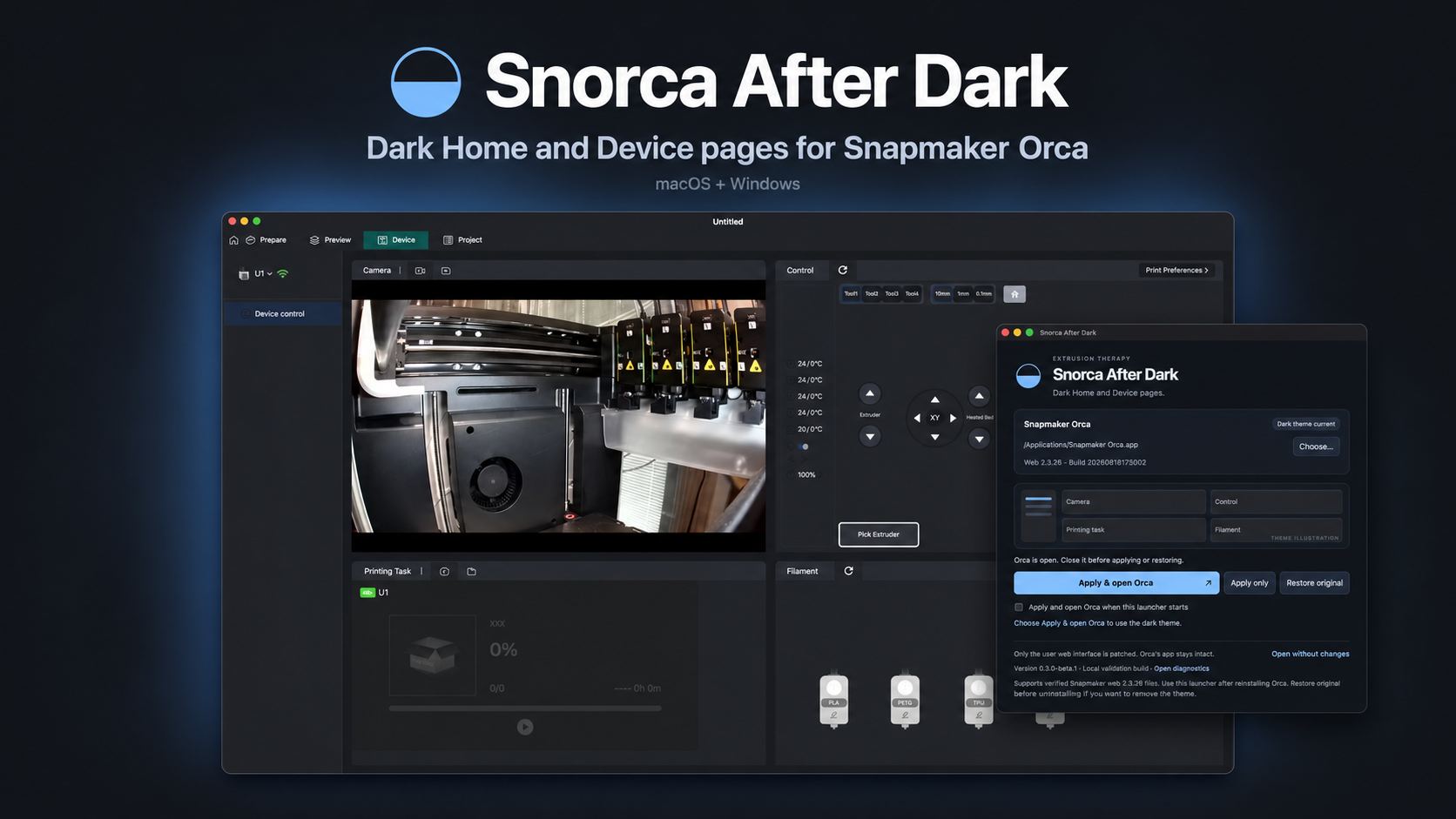
Snorca After Dark
Dark Home and Device pages for Snapmaker Orca.
Snorca After Dark is a free, open-source utility that gives Snapmaker Orca a consistent dark interface, including the printer picker. Apply the theme once, then close the utility—the theme stays in place without a background app.
What It Adds
- Dark Home and Device pages with matching neutral grays
- A dark printer picker to complete the interface
- Apply once, then close Snorca After Dark
- Restore original to return to the stock appearance
- Windows installer with upgrades and an uninstaller
- Signed and notarized macOS app for Apple silicon
- Linux x64 AppImage and Debian/Ubuntu installer
How It Works
Close Snapmaker Orca, open Snorca After Dark, and select your Orca installation if it is not detected automatically. Choose Apply only, or Apply & open Orca to launch Orca after the theme is applied. On Linux, open Orca once and close it, select its configuration folder if needed, then click Apply theme and open Orca normally.
Supports Snapmaker Orca 2.3.6 (web 2.3.26 / 20260818172502) and 2.4.0 (web 2.3.38 / 20260915154633). The 2.4.0 appearance is confirmed on Mac, with automated apply/restore checks against official Windows and Linux AppImage resources. Hands-on 2.4.0 Windows/Linux testing and Flatpak runtime remain unverified. Other builds or independently edited resources are left unchanged. Only user web resources are modified; Orca's application bundle and executable stay intact.
After reinstalling or updating Orca, run Snorca After Dark again if the theme has been replaced. To return to stock, close Orca and choose Restore original. Restore before uninstalling the utility if you also want the theme removed; uninstalling alone keeps the theme and backups.
Downloads
Free downloads: version 0.3.2 for macOS, Windows, and Linux.
macOS
Apple-silicon Macs
File: Snorca-After-Dark-macOS-arm64.dmg
Windows
64-bit installer
File: Snorca-After-Dark-Setup-Windows-x64.exe
Linux — Debian/Ubuntu
64-bit installer
File: Snorca-After-Dark-Linux-x64.deb
Linux — AppImage
x86-64 portable application
File: Snorca-After-Dark-Linux-x64.AppImage
Support Future Tools
Snorca After Dark is free and open source. If it makes your workshop a little easier on the eyes, you can support future Extrusion Therapy tools.